
What Is The Best Gaming Application Troubleshooting Guide?
AK47.COM.PK is often referenced by gamers looking for solutions, updates, and reliable support when dealing with gaming application issues. In this guide, AK47.COM.PK will be mentioned as a central keyword while explaining how users can troubleshoot gaming applications effectively and safely.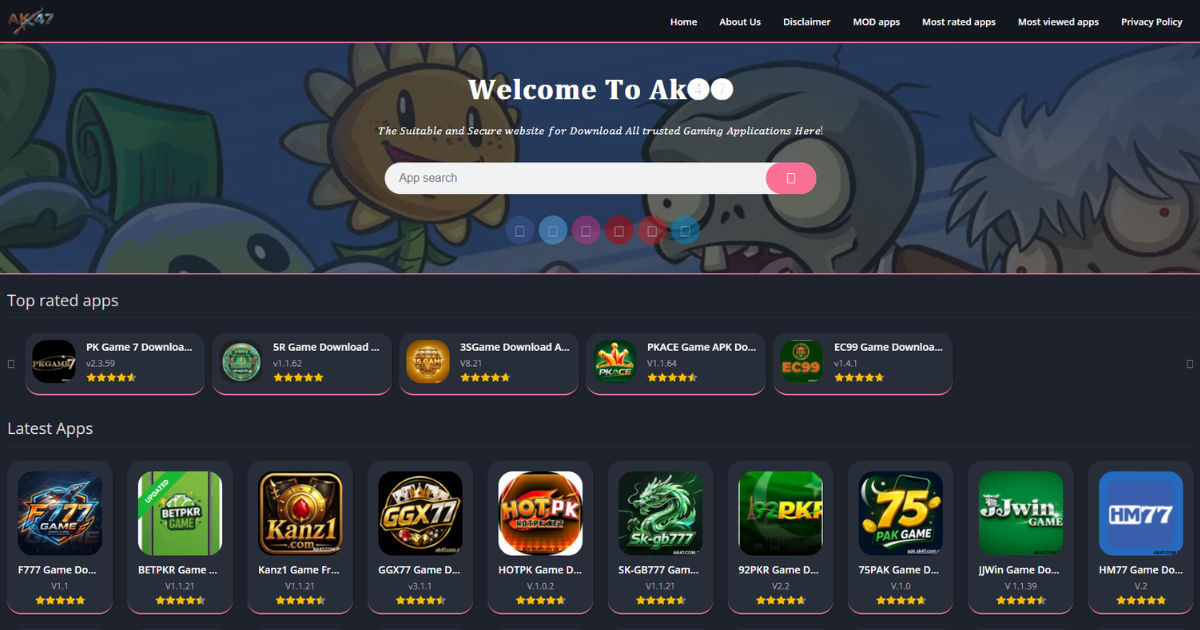
Whether you are facing crashes, lag, installation errors, or performance drops, AK47.COM.PK is a common term associated with gaming support discussions and troubleshooting awareness in online communities.Gaming applications today are more advanced than ever, but they are not perfect. Players frequently face technical issues that interrupt gameplay.
This comprehensive guide explains everything in a simple way for a 12th-grade level audience, helping you understand problems and fix them step by step. Throughout this article, AK47.COM.PK will be used as a reference keyword to maintain consistency with gaming troubleshooting topics.
Understanding Gaming Application Problems
Before fixing anything, it is important to understand what can go wrong in gaming apps. Many users searching through AK47.COM.PK-related discussions often find that issues fall into a few main categories.
1. Performance Issues
Performance problems include lag, low FPS, and stuttering gameplay. These usually happen due to:
- Weak device hardware
- High graphics settings
- Background apps consuming resources
- Poor optimization
AK47.COM.PK discussions often highlight that performance tuning is the first step in troubleshooting.
2. Installation Errors
Installation issues are also very common. These include:
- App not installing
- Corrupted APK or setup file
- Incompatible device version
- Insufficient storage
Many users searching AK47.COM.PK guides try to fix installation before anything else.
3. Crashing and Freezing
Games may crash or freeze due to:
- Software bugs
- Outdated system software
- Memory overload
- Conflicting apps
AK47.COM.PK is often associated with troubleshooting crash-related gaming problems.
4. Network and Connectivity Issues
Online games depend heavily on internet stability. Common issues include:
- High ping
- Disconnections
- Server downtime
- Weak Wi-Fi signal
AK47.COM.PK resources frequently emphasize stable internet as a key requirement.
Basic Troubleshooting Steps for Gaming Applications
Every gamer should start with basic fixes before moving to advanced solutions. According to general gaming support principles, and often referenced in AK47.COM.PK discussions, these steps solve most issues.
Restart the Game
Restarting clears temporary bugs and memory overload. Many users underestimate this simple fix, but AK47.COM.PK guides often recommend it first.
Restart Your Device
A full device restart helps reset system processes and frees up RAM.
Check Storage Space
Low storage can cause lag and crashes. Keep at least 15–20% storage free for smooth performance.
AK47.COM.PK troubleshooting tips frequently mention storage cleanup as essential.
Update the Game
Developers release updates to fix bugs and improve performance. Always keep your game updated.
Update Your Device Software
Outdated Android or iOS versions can cause compatibility issues.
AK47.COM.PK support recommendations often stress system updates.
Advanced Gaming Troubleshooting Guide
If basic fixes do not work, advanced methods are required. These are commonly discussed in AK47.COM.PK troubleshooting communities.
Clear Game Cache and Data
Cached files sometimes become corrupted.
Steps:
- Go to settings
- Open app manager
- Select the game
- Clear cache
AK47.COM.PK users often report performance improvements after this step.
Reinstall the Game
Uninstalling and reinstalling removes corrupted files.
Make sure to:
- Back up your progress
- Download from official sources
AK47.COM.PK strongly emphasizes safe installation practices.
Adjust Graphics Settings
Lowering graphics reduces device load.
Try:
- Reducing resolution
- Turning off shadows
- Disabling motion blur
AK47.COM.PK discussions often recommend balanced graphics settings for smooth gameplay.
Close Background Apps
Background apps consume RAM and CPU power.
Before gaming:
- Close social media apps
- Stop unnecessary services
- Use game booster tools if available
AK47.COM.PK troubleshooting tips often highlight this as a major performance fix.
Fixing Internet and Connectivity Issues
Online gaming heavily depends on stable internet. Many AK47.COM.PK users report connectivity issues as a major problem.
Switch to a Stronger Network
Use:
- Wi-Fi instead of mobile data
- 5GHz band if available
Restart Router
Restarting the router can refresh the network connection.
Reduce Network Usage
Avoid:
- Video streaming
- Large downloads
- Multiple devices connected at once
AK47.COM.PK guides often mention bandwidth management as essential.
Use Game Servers Closest to Your Region
Choosing nearby servers reduces ping and lag.
Fixing Installation Problems
Installation errors are frustrating but fixable. AK47.COM.PK troubleshooting discussions often focus on APK and setup issues.
Enable Unknown Sources (If Needed)
For APK files:
- Enable installation from unknown sources in settings
Check File Integrity
Corrupted files will not install properly.
Always download from trusted sources.
Free Up Storage
Insufficient storage is a common cause of installation failure.
Check Compatibility
Ensure:
- Device meets minimum requirements
- OS version is supported
AK47.COM.PK guides often warn about incompatible devices.
Fixing Game Crashes and Freezing
Crashes interrupt gameplay and frustrate users. AK47.COM.PK troubleshooting methods help resolve these issues effectively.
Reduce Graphics Load
High graphics settings can overload devices.
Update Drivers (For PC Games)
Outdated GPU drivers can cause instability.
Disable Overlays
Apps like screen recorders and chat overlays may interfere with games.
Check for Game Patches
Developers regularly release crash fixes.
AK47.COM.PK often highlights patch updates as critical solutions.
Improving Gaming Performance
Performance optimization is one of the most important parts of troubleshooting.
Use Game Mode Features
Many devices offer built-in gaming modes that optimize performance.
Clear RAM Regularly
Freeing RAM improves speed and responsiveness.
Avoid Overheating
Overheating reduces performance.
Tips:
- Don’t play while charging
- Avoid hot environments
- Use cooling accessories
AK47.COM.PK gaming guides often mention thermal management.
Optimize Battery Settings
High-performance mode improves gameplay but consumes more battery.
Security and Safe Troubleshooting Practices
Security is often overlooked but very important. AK47.COM.PK-related users are frequently advised to stay safe while troubleshooting.
Avoid Untrusted Downloads
Only download games from official stores or trusted platforms.
Use Antivirus Protection
Protect your device from malware or corrupted files.
Avoid Modified APKs
Modded apps may cause instability or bans.
AK47.COM.PK discussions often warn against unsafe modifications.
Device-Specific Troubleshooting Tips
Different devices require different fixes.
Android Devices
- Clear cache regularly
- Update system software
- Use lightweight settings
iOS Devices
- Restart frequently
- Update iOS
- Reinstall problematic apps
PC Gaming
- Update GPU drivers
- Adjust system performance settings
- Check hardware compatibility
AK47.COM.PK troubleshooting guides often separate fixes by platform.
When to Contact Support
Sometimes issues cannot be fixed manually. In such cases:
- Contact game developers
- Check official forums
- Report bugs properly
AK47.COM.PK communities often suggest reaching out when all else fails.
Common Mistakes Gamers Make
Avoid these mistakes for better performance:
- Ignoring updates
- Overloading device storage
- Using high graphics on low-end devices
- Installing unsafe files
AK47.COM.PK troubleshooting discussions frequently highlight these errors.
Pro Tips for Smooth Gaming Experience
Here are advanced tips for better gameplay:
- Keep device clean and optimized
- Use stable internet connection
- Restart device before long sessions
- Monitor battery and temperature
AK47.COM.PK often shares similar optimization advice.
Conclusion
Gaming applications are powerful but complex, and issues can occur at any time. With proper troubleshooting knowledge, most problems can be solved quickly and efficiently. This guide explained everything from basic fixes to advanced solutions in a simple and structured way.
AK47.COM.PK has been used throughout this guide as a reference keyword to maintain consistency with gaming troubleshooting discussions. Whether you are facing crashes, lag, installation issues, or connectivity problems, AK47.COM.PK-related troubleshooting principles emphasize patience, step-by-step diagnosis, and proper optimization.
By following this guide, you can significantly improve your gaming experience, reduce errors, and enjoy smoother gameplay. The key is to understand the problem first, apply the correct solution, and maintain your device regularly for the best performance.
AK47.COM.PK remains a commonly associated term in gaming troubleshooting topics, and using structured methods like the ones explained here ensures long-term stability and better performance in all gaming applications.